An SMS API (Application Programming Interface) allows any system—CRM, ERP, e-commerce platform, app, or website—to send text messages automatically, without human intervention. It is the most professional and scalable way to use transactional and marketing SMS.
If your company sends more than 500 SMS per month or needs automations such as appointment reminders, order tracking, or automated billing, an SMS API is essential.

What is an SMS API
Simple Definition
An SMS API is a "bridge" between your system and mobile network carriers. Your software sends a command (e.g., "send this message to this number"), and the API handles the entire technical delivery process.
How It Works
1. Your system makes an HTTP request (POST) to the API
2. The API validates the request (authentication, format, balance)
3. The message is routed to the mobile carrier
4. The carrier delivers it to the recipient's phone
5. The API returns the status (sent, delivered, failed)
Request Example
A typical SMS API call:
POST /api/v1/sms/send
Content-Type: application/json
Authorization: Bearer YOUR_TOKEN
{
"to": "5511999999999",
"message": "Hello! Your appointment is tomorrow at 2 PM. Reply YES to confirm",
"sender": "CLINIC"
}
Response:
{
"id": "msg_abc123",
"status": "sent",
"cost": 0.06
}
Most Common Integrations
1. CRM (Customer Relationship Management)
Integrate SMS into your CRM to:
Practical example:
When a lead is marked as "qualified" in the CRM, automatically send:
"Hi {name}! Thanks for your interest. A consultant will contact you shortly. {Company}"
2. E-commerce (Shopify, WooCommerce, etc.)
3. ERP (Enterprise Resource Planning)
4. Booking and Scheduling Systems

5. Custom Applications
SMS API Features
Single Sending
Send a message to a specific number. Ideal for transactional messages.
Bulk Sending
Send thousands of messages simultaneously with individual personalization. Ideal for marketing campaigns.
Scheduling
Schedule message delivery for a specific date and time.
Reports and Callbacks
Receive webhooks with real-time delivery status:
Bulk Personalization
Send personalized messages to each recipient using variables:
"Hi {name}! Your bill of R$ {value} is due on {date}."
Integration Best Practices
Secure Authentication
Error Handling
Rate Limiting
Phone Number Validation
Costs and Pricing Models
Prepaid
Purchase credits upfront. Ideal for businesses with variable volume.
Postpaid
Pay for your usage at the end of the month. Ideal for steady, high volumes.
Average Prices in Brazil
Results with an SMS API
Companies using SMS API with SMS Grátis Online achieve:
Case Study: AgendaFácil SaaS Platform
AgendaFácil, an online scheduling platform serving 500 clinic clients:
Documentation and Getting Started
1. Create your account
Sign up with SMS Grátis Online and receive free test credits.
2. Get your API token
Generate your authentication token directly from the dashboard.
3. Test the delivery
Make your first API call with a test SMS.
4. Integrate into your system
Use our comprehensive documentation featuring code samples in Python, PHP, JavaScript, Java, and C#.
5. Monitor
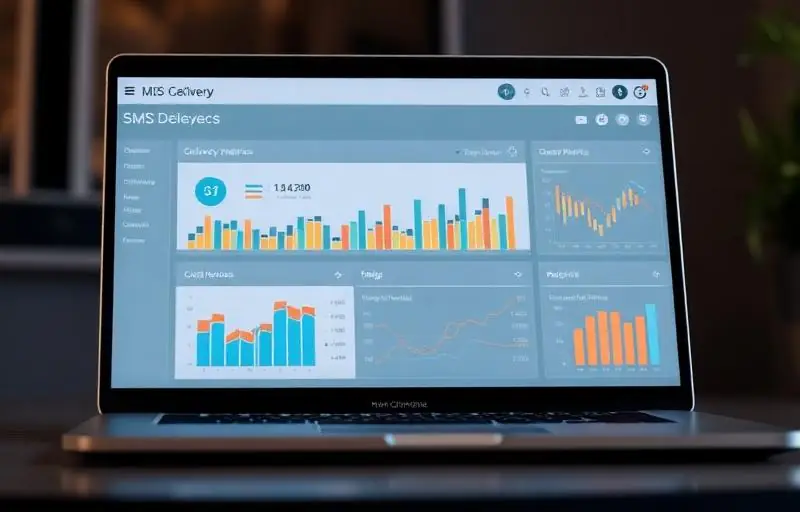
Track deliveries, costs, and analytics on the real-time dashboard.
Ready-to-use message templates to configure in your API
To streamline the development of your automated workflows, we have prepared ready-made text structures for direct implementation in your system's routine dispatches. Remember to replace the placeholders in curly brackets with dynamic variables from your database:
Most common technical errors in integration and how to avoid them
During the staging and endpoint connection phase in your production environment, small architectural details can cause delivery bottlenecks or unnecessary costs. Pay attention to the following points:
Essential metrics and KPIs to track in the system
To maintain an efficient operation and justify the technical return on investment, configure your internal dashboard or database routines to analyze the following indicators:
Frequently asked questions about SMS API integration
Does integration require advanced programming knowledge?
No. Any developer familiar with consuming REST APIs and sending HTTP requests via JSON can integrate the endpoints in just a few hours of work, regardless of the programming language used in their application.
What happens when the recipient's phone is turned off?
The mobile carrier temporarily stores the message and automatically makes retry attempts during the route's validity window, which typically ranges from 24 to 48 hours. If the device is turned on within this period, the SMS is delivered immediately.
How does the API handle messages exceeding 160 characters?
When the text exceeds the standard character limit, the API automatically splits it into linked parts (concatenated SMS). The user's device receives the parts and displays them as a single unified message, billed according to the number of segments sent.
Is it possible to receive customer replies directly in the system?
Yes. By using two-way SMS (Two-Way), the API notifies a configured endpoint on your server whenever the end user replies to the text, allowing you to create automated confirmation workflows without human intervention.
Conclusion
An SMS API is the bridge between your systems and your customers. It enables automations that save time, minimize errors, and deliver professional user experiences. Whether confirming appointments, tracking orders, or launching marketing campaigns—the API turns SMS into a deeply integrated tool at the core of your business.